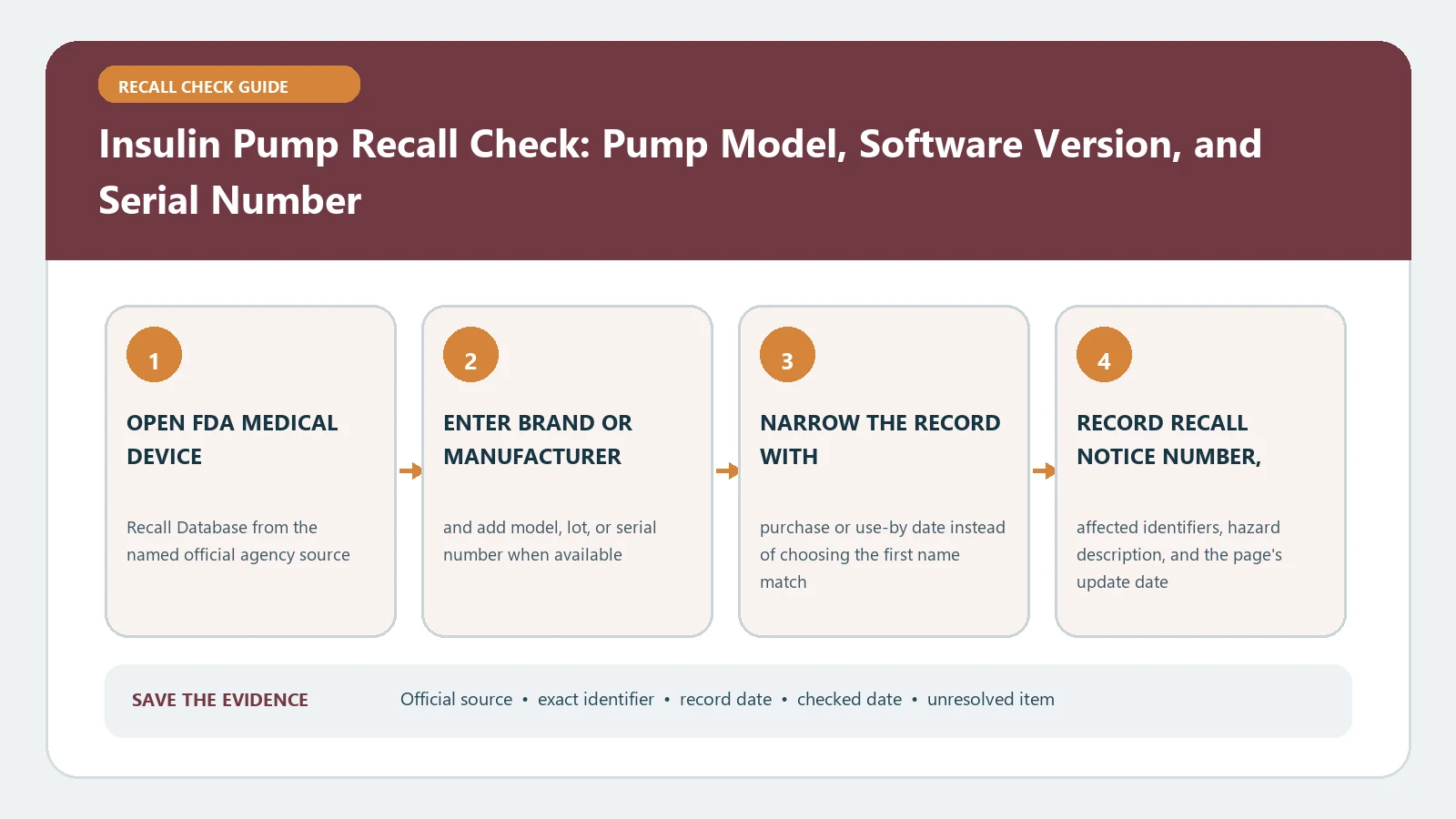
To check an insulin pump recall, identify the pump, controller or phone app, connected sensor, cartridge or set, software version, model, UDI, and serial number. Match that configuration with the current FDA notice and manufacturer correction. A pump family name alone cannot decide inclusion. Do not interrupt insulin delivery or change dosing from a search result without following the notice and the diabetes care team’s backup plan.
Freeze the active configuration on paper
Do not navigate menus or disconnect therapy merely to gather data if that would interfere with delivery. Use the device’s official instructions to open its information screen, and involve the care team or manufacturer support when the safe path is unclear. Photograph labels and screens without exposing private patient data beyond what is needed for the check.
- Pump product name, model, catalogue number, UDI, and serial number
- Pump software and mobile-app version, including all digits
- Controller or phone operating system when the notice names it
- Connected glucose sensor and transmitter generation
- Reservoir, cartridge, infusion set, and lot when a component action is suspected
Save the current therapy plan, emergency contacts, backup insulin method, recent alerts, and any error code separately. Those records support clinical continuity but do not replace the identifiers used by the recall.
Search by product, then isolate the affected version
Use the official FDA Medical Device Recalls database. Begin with the manufacturer plus pump product. Use advanced search when a product family produces many records, filtering by recalling firm, product, initiation date, or reason. Open the individual record and save its recall number, event ID, initiation date, create date, and current status.
Also review FDA Medical Device Recalls and Early Alerts. This page can provide a patient-facing action before or alongside the classified database record. A create date is not necessarily the first customer-notification date, and an early alert is not the same status as a classified recall. Keep the sources connected but distinct.
Build a configuration match matrix
| Recall boundary | Patient evidence | Possible conclusion |
|---|---|---|
| Pump model or catalogue | Permanent label or device information | Product family included or excluded |
| Software version | Pump or app information screen | Correction required or version outside action |
| Serial or UDI range | Device label or official lookup | Individual unit included or excluded |
| Paired sensor or controller | Active-system inventory | Specific combination affected |
| Infusion component lot | Package or component label | Consumable action separate from pump |
Every condition stated by the notice matters. A current software version can exclude a unit from a version-limited correction, while the same pump may still be subject to another campaign. A notice involving a particular sensor pairing should not be applied to an unpaired pump. Do not generalize from a headline about the brand.
Read action verbs before changing therapy
Medical-device actions can correct a device where it is used, update instructions, require software, replace selected units, or remove equipment. FDA’s current Tandem Mobi correction notice, for example, identifies affected software versions and directs a software correction before continued use. It demonstrates why version and action must be read together rather than treating every recall as removal.
Follow the exact notice applying to the matched configuration. Coordinate any alternate delivery method, dosing, monitoring frequency, or restart with the care team. Know how to access the prescribed backup method before beginning a software update or replacement process. Seek urgent medical help for severe low or high glucose symptoms rather than waiting for a portal response.
Verify the correction without losing settings evidence
Before a permitted update, preserve the version, relevant settings according to clinical instructions, alert history, and support case number. Afterward, verify the new version in the official information screen and confirm that therapy settings and paired components are correct. A downloaded package, completed restart, or support call is not proof that the target version is installed.
For replacement, record the outgoing and incoming serial numbers and the date each stopped or entered service. For a component recall, quarantine only the affected lots and maintain an adequate safe supply through the care team and supplier. Our infusion pump recall check gives a broader device-and-set inventory workflow.
Recover from mismatch, no result, or portal failure
If the manufacturer lookup rejects the serial, verify zero and the letter O, remove copied spaces, and confirm country and product generation. If FDA includes the model but the portal excludes the unit, save both screens and ask the manufacturer to reconcile the serial against the specific recall number. Do not change the input until it produces an affected answer.
An empty FDA search is not a device safety certificate. Repeat with manufacturer, product stem, and device type; check recent early alerts; and inspect current manufacturer safety communications. If the pump produces an error, unexpected delivery, repeated alarm, or other problem, follow clinical and manufacturer instructions and report a serious adverse event through the official FDA route. A report does not itself establish recall inclusion.
When the portal is unavailable, do not postpone an urgent clinical decision or improvise a correction. Save the outage time, URL, error message, and device identifiers. Use the contact route in the FDA communication and ask the care team how to maintain prescribed delivery and monitoring until the manufacturer can confirm the unit. Submit the lookup again with the same exact identifiers after service returns.
Keep pump and glucose-system conclusions separate
A pump correction can depend on a sensor pairing, but it does not automatically recall every sensor or test strip. Search each named component under its own identifiers. The blood glucose meter and test-strip recall check covers lot and meter distinctions that should not be merged into the pump record.
Close with a reproducible safety record
Save configuration identifiers, FDA records, manufacturer result, care-team plan, correction evidence, and check date. Use exact match, documented exclusion, unresolved, or corrected as the state. Recheck when software or components change, FDA updates a notice, an alert occurs, or a correction remains incomplete. Last checked August 26, 2026. FDA pump records and correction instructions can change. Retain the tested configuration with every conclusion.