Check a blood glucose recall by identifying the meter, test-strip vial, strip lot, control solution, app or software version, and any connected device separately. A notice may cover only one component or configuration. Compare those identifiers with the FDA record, follow the manufacturer’s correction, and contact the diabetes clinician before changing testing frequency, medication, insulin dosing, or a backup-testing plan.
Reviewed August 26, 2026. FDA device records can be classified, corrected, or terminated after a firm first contacts customers. Recheck the current record and the manufacturer communication before relying on an earlier result.
Freeze a snapshot of the active testing system
Before updating software, discarding strips, or changing a meter, photograph the screen, rear label, strip vial, outer carton, control-solution bottle, and any error message. Record which strips are currently paired with which meter. Keep an affected or possibly affected item out of routine use unless the official notice or clinician provides an interim direction.
| Component | Identifiers to record | Failure a recall may address |
|---|---|---|
| Meter | Product name, model, serial, software version | Display, calculation, transmission, or settings problem |
| Test strips | Brand, vial lot, expiration, product code | Incorrect or unreliable result for defined lots |
| Control solution | Type, lot, expiration | Quality-control material outside specification |
| App or receiver | App name, version, phone or receiver model | Alert, sync, unit, or data-display correction |
| Care record | Unexpected readings, comparison result, action taken | Clinical follow-up and adverse-event evidence |
Do not pour strips into another vial. The original vial protects them and carries the lot, expiration, storage, and calibration information. If strips from two lots were mixed, neither vial can establish which strip produced a reading. Mark that supply unresolved and ask the manufacturer and clinician how to replace it.
Search FDA by product and by firm
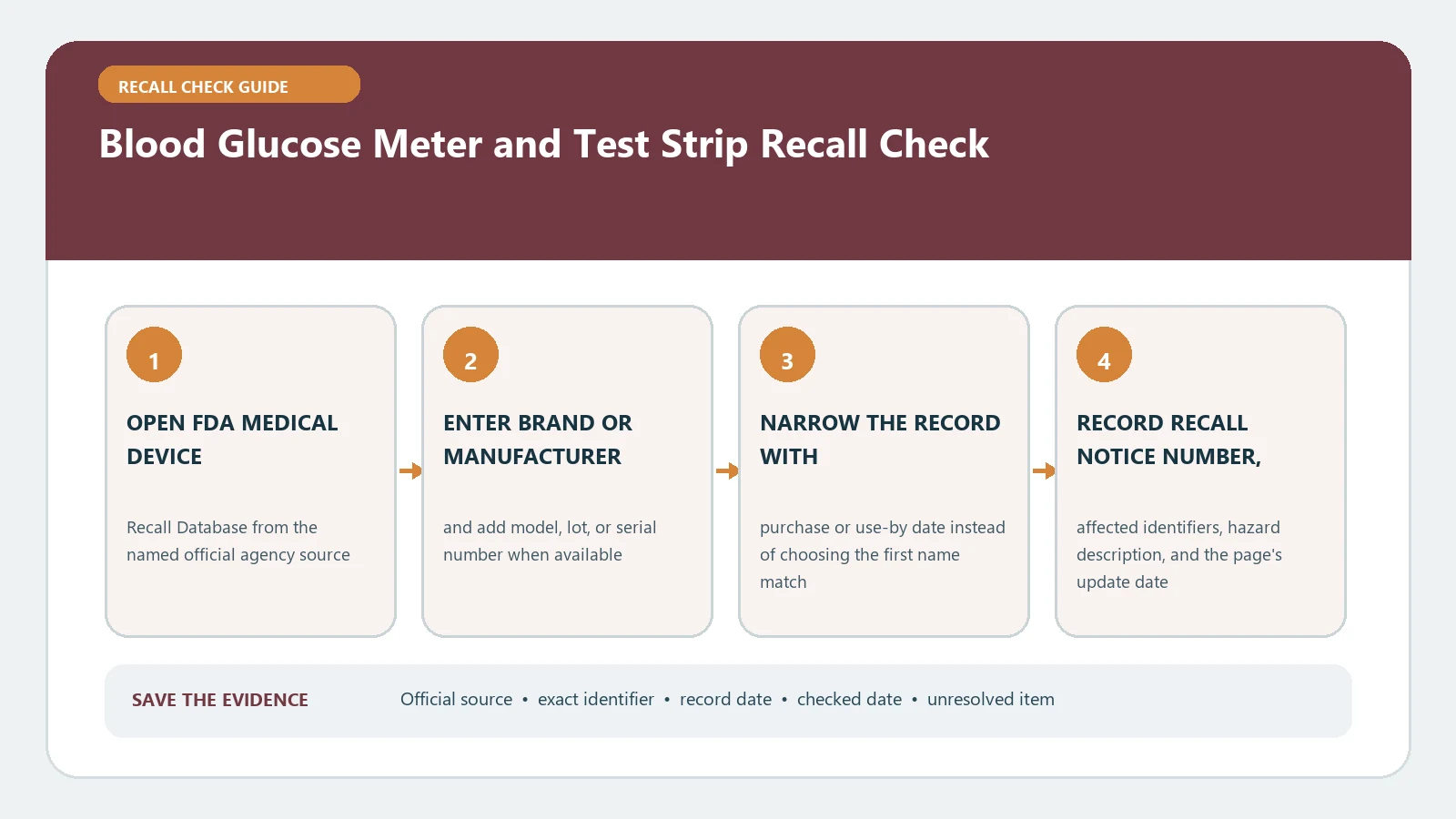
Use the official FDA Medical Device Recalls database. Search the full product name first, then the manufacturer or recalling firm. Try meter and strip as separate product terms because the record may be indexed under only one component. Open the individual result instead of relying on the search list.
Compare product description, product code, recall number, recalling firm, code information, reason, action, distribution, classification, and status. FDA explains that the record’s create date is when the agency classified the action, not necessarily when the firm began contacting customers. A recent company correction may therefore exist before the database chronology looks familiar.
Also review FDA’s Medical Device Recalls and Early Alerts page for serious patient-facing communications. That page highlights selected actions and does not replace the classified database. Record which layer supplied each instruction.
Match the complete configuration, not a familiar label
- Confirm that the meter or strip name and manufacturer are identical to the record.
- Apply every model, serial, lot, expiration, product-code, and software-version limit.
- Check whether the action requires the component to be used with a particular meter, app, unit setting, or workflow.
- Save the exact correction or removal instruction and its revision date.
Affected means all controlling fields match. Excluded means a decisive field is outside the notice. Unresolved means a code is missing, mixed, unreadable, or absent from the public record. Do not convert a normal control test or one plausible reading into proof that a listed lot is unaffected.
Pay attention to displayed units. A mg/dL versus mmol/L setting, an app conversion, or a receiver display can be part of the reported configuration even when the physical strip is unchanged. Record the units exactly as shown and do not convert a suspect value for the recall file. The clinician can interpret readings; the recall record should preserve what the system actually displayed.
A correction may be instructions, software, or replacement
Medical-device actions are not limited to physical returns. The firm may issue new instructions, a settings check, a software update, replacement strips, a meter exchange, or a patient notification. Follow the named sequence and verify completion on the same configuration you recorded. Save the post-update version or replacement serial and the case number.
The medical device recall check explains classification and correction terminology across devices. Use the FDA recall list guide when an early alert, company letter, and database record appear on different dates. Those pages help route evidence but cannot decide how an individual should monitor glucose.
When a lot is missing or readings conflict
If a reading conflicts with symptoms, another approved method, or the clinician’s expected range, follow the device instructions and the care plan. Contact the clinician or emergency services when the situation requires it. Do not change a dose because a web page says a product is recalled or not found. Preserve the meter, strip lot, time, displayed units, comparison result, and any treatment taken for the health professional and manufacturer.
A recall lookup cannot validate a single result, diagnose a condition, or prove that an unlisted meter is accurate. It establishes whether the recorded configuration falls inside a public action. Keep clinical decisions, adverse-event reporting, and the manufacturer remedy as distinct tracks.
A database result does not prove device performance or the accuracy of any reading. Storage temperature, contamination, expired supplies, user technique, and incompatible components may require separate review under the instructions for use. Record those facts without trying to diagnose the cause. A product can be outside one recall and still need manufacturer or clinical attention.
Close every component, including mixed or secondhand supplies
For a meter acquired secondhand, obtain the rear-label serial and current software version rather than relying on the seller’s description. For loose strips or an unreadable vial, do not infer a lot from purchase date. Ask the pharmacy, supplier, or manufacturer whether a transaction record can recover the exact product and lot; otherwise leave the supply unresolved.
Households using more than one meter should label each evidence set by user and device without placing protected health details in a public message. A strip brand may fit several meters but be authorized or corrected for only one combination. Keep comparison readings, remedy cases, and replacement supplies linked to the correct meter serial.
Track replacement, return, or disposal through the recall remedy guide. The final file should show separate affected, excluded, or unresolved conclusions for meter, strips, control solution, and software, plus the clinician-approved continuity plan when one was needed. An empty FDA search is not a certification of device performance.