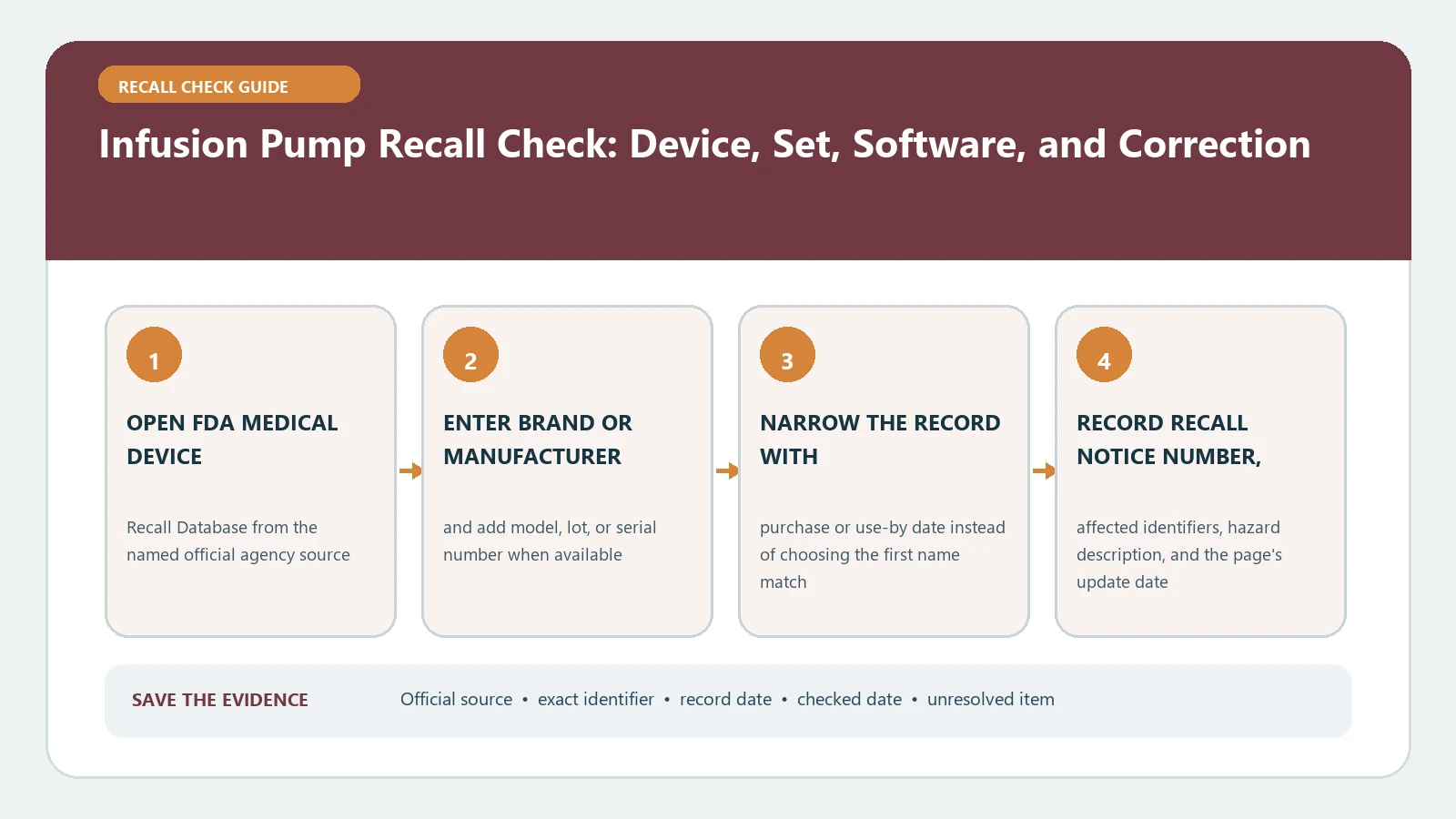
To check an infusion-pump recall, match the pump, administration set and software separately against the FDA record and the manufacturer’s notice. Do not stop an infusion, disconnect a device or change settings only because a product name looks similar; follow the recall instructions through the treating team, pharmacy or clinical-engineering contact responsible for that pump.
The FDA maintains an infusion-pump database hub and a searchable Medical Device Recalls database. The database contains classified medical-device recalls since November 1, 2002; a recent company action may appear first as an early alert or manufacturer communication and be classified later. Sources and workflows on this page were checked August 25, 2026.
Start at the label, not with the word “pump”
“Infusion pump” is too broad to establish a match. A recall can apply to a pump family, a narrow serial range, a disposable administration set, a battery, a specific software release or a combination of those parts. Photograph labels before searching, but do not include patient information in the image.
| Where to look | Identifiers to record | Why it can change the answer |
|---|---|---|
| Pump chassis or rear label | Manufacturer, brand, model or catalog number, serial number and UDI when shown | Two pumps with the same family name can fall on opposite sides of a serial range. |
| About or system-information screen | Software and library version, module name and installed option | A correction may be software-specific even when no hardware is removed. |
| Administration-set package | Product code, lot number and expiration date | The affected item may be tubing or a set rather than the pump itself. |
| Facility inventory record | Asset number, location and service history | Clinical engineering needs this to document completion of a correction. |
If the pump is in active use, record identifiers only when it is safe and permitted to do so. A home user can ask the supplier or care team where the model and serial number are located. A hospital user should follow facility procedures rather than moving equipment or dismissing an alarm to inspect a label.
Search the FDA record in three passes
- Search the exact brand or model phrase in the Medical Device Recalls database. Open plausible records instead of relying on the results-page title.
- Repeat with the manufacturer and a model or catalog number. Use the advanced search when a broad product name returns unrelated devices.
- Check the FDA’s Medical Device Recalls and Early Alerts page for a recent public communication, then follow its manufacturer link or attached notice.
For every candidate, compare the product description, model or catalog numbers, affected lot or serial range, software version, recall reason, action date and recalling firm. A shared brand name is a lead, not a match. The companion medical device recall check covers the same identifier discipline for other device types.
A correction can matter even when the pump stays in use
FDA distinguishes a correction from a removal. A correction addresses the problem where the device is used or sold; a removal takes it elsewhere. FDA also explains that a medical-device recall does not always mean a patient must stop using or return the product. The remedy can be inspection, repair, revised instructions, a software update, relabeling or patient monitoring.
| Record term | What it tells you | What it does not tell you |
|---|---|---|
| Class I, II or III | FDA’s relative health-hazard classification | The exact action for this pump at this facility |
| Correction | The action may occur where the device is used or sold | That continued use is safe without completing the instructions |
| Removal | The device is moved from its point of use for the stated action | That every product with the same brand name is affected |
| Terminated | FDA determined reasonable recall efforts and disposition or correction were completed | That the historical affected range never existed |
Read the “reason for recall” beside the “action” field. Risk language explains why the company acted; the action tells the recipient what to do. Do not invent a remedy from the recall class alone.
Match the affected configuration
Build one comparison row for the equipment in front of you and one for the official notice. Mark a field “match,” “not a match” or “unresolved.” That small discipline prevents a familiar product photo from overriding a nonmatching serial range or software version.
- Pump: brand, model, catalog number and serial number.
- Set or accessory: product code, lot and expiration date.
- Software: installed version and any drug-library or module version named in the notice.
- Geography and distribution: whether the notice covers the country and customer group involved.
- Correction state: whether the update, inspection, relabeling or return was documented for this unit.
When one critical field is unavailable, keep the result unresolved. Contact the manufacturer using the recall notice and give only the identifiers needed to confirm scope. For facility equipment, route the notice through clinical engineering, risk management, pharmacy or the department named in local policy.
Follow the recall communication, not a generic remedy
An affected infusion pump may require a software update, a change in handling, inspection after a drop, revised alarm instructions, replacement of a set or removal from service. The correct response is the one written for the matched device and configuration. Save the notice date, acknowledgment, work-order number and completion date so the same unit is not checked from scratch during the next shift.
Patients and caregivers should call the treating team or device supplier for device-specific direction. If there is an immediate clinical problem, use the urgent-care path already provided by the care team or local emergency services. This page is a record-matching guide, not medical advice and not a substitute for a clinician’s decision.
When the database is silent
A blank FDA result means only that the chosen query did not return a matching classified record at that moment. Check spelling, search the catalog number without punctuation, try the manufacturer, and look at current early alerts. FDA says it updates the recall database after classification and again after termination, so a company communication can precede a completed FDA classification.
Keep a copy of any manufacturer notice and record the date it was checked. If the notice conflicts with a database row, compare action dates and identifiers, then ask the manufacturer or FDA contact named in the communication. The FDA recall list guide explains why a recent alert, enforcement entry and classified record may not appear at the same time.
Close the loop on the individual unit
A recall search is complete only when the unit or set is either documented outside the affected scope or the required action is documented as complete. Record who made that determination and which official notice supported it. If replacement, return, refund or repair is offered, use the exact remedy in the notice; the recall remedy guide can help separate those outcomes.
FDA sources checked August 25, 2026. Recall records and manufacturer instructions can change. Recheck the official notice before acting on a pump, set or software configuration.