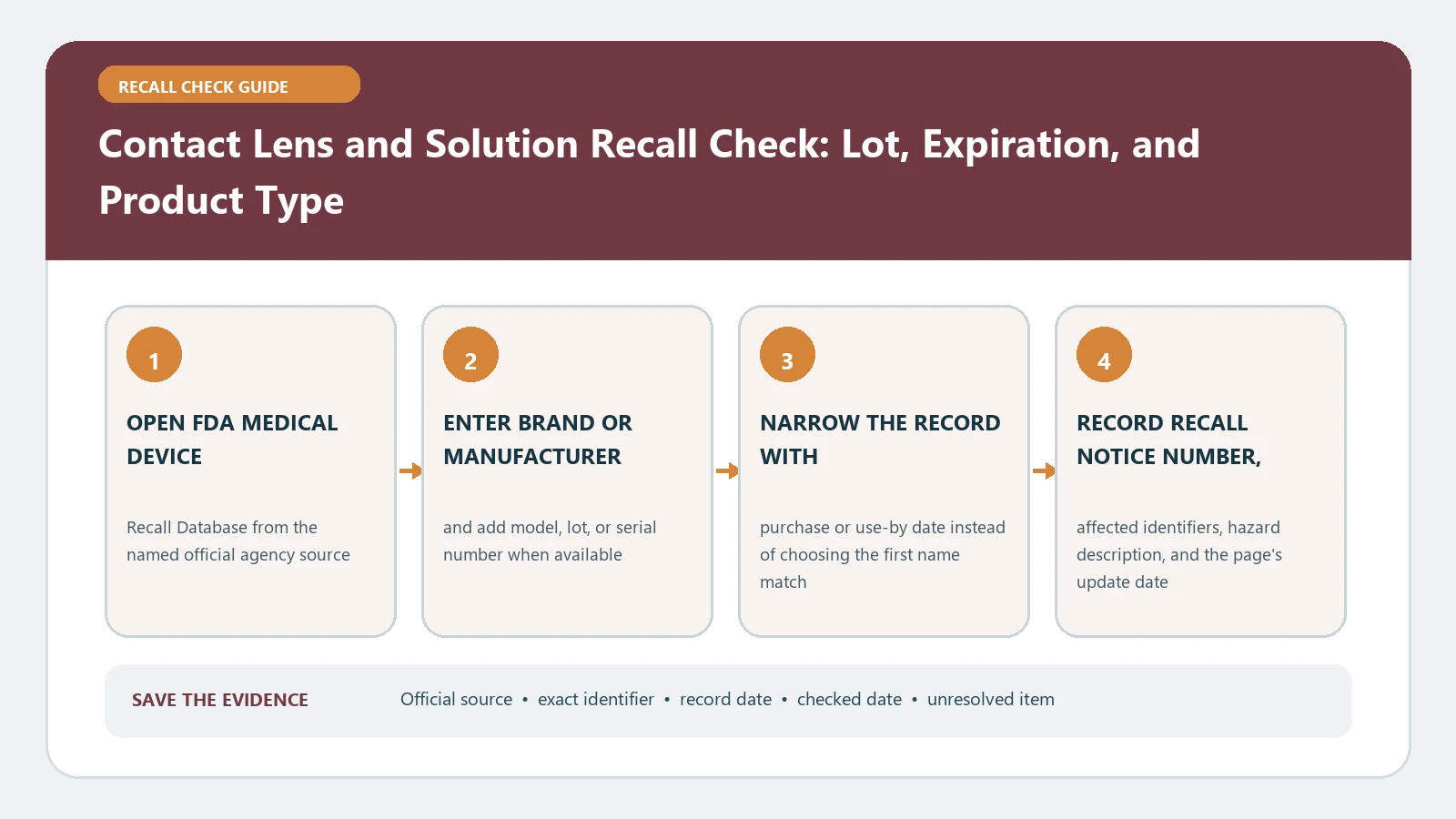
For a contact lens or lens-solution recall check, first decide whether the item is a lens, multipurpose solution, hydrogen peroxide system, saline, rewetting product, or case. Copy the exact brand, product type, lot, expiration date, package size, and manufacturer, then match those fields to the FDA record. Do not apply a solution recall to every lens from the same company, or a lens recall to unrelated care products.
Separate everything that touches the eye
Wash and dry hands before handling containers. Photograph the outer carton, blister packs, bottle, cap, case, prescription lens box, and receipt. Keep suspect products apart from unaffected supplies without pouring, combining, or transferring solution. If symptoms are present, remove the lenses as directed by an eye care professional and do not discard evidence that the clinician may need.
| Item | Identifiers to copy | Common matching error |
|---|---|---|
| Contact lens | Brand, lens type, lot, expiration, power when stated | Using the prescription alone |
| Multipurpose solution | Product name, lot, expiration, bottle size | Matching every size or lot |
| Hydrogen peroxide system | Solution, lot, expiration, supplied case | Treating it as ordinary saline |
| Saline or rewetting product | Full intended-use label, lot, expiration | Confusing rinsing with disinfecting |
| Lens case | Kit name, case type, included product | Separating a kit component from its notice |
Search the FDA device record with precise terms
Open the official FDA Medical Device Recalls database. Search the manufacturer and distinctive product name. If that is too broad, use advanced search by product, recalling firm, initiation date, or reason. Open each candidate record and compare product description, code or catalogue number, lot, expiration, distribution, and recalling firm.
The database contains classified recalls since November 2002 and can include company actions before FDA review. Recall status can be updated when FDA classifies and later terminates an action. The create date is not necessarily the date a purchaser first received notice. Save the individual record URL, recall number, event ID, and current status.
Make a lot-level decision
Start with the exact product type and full name, then compare lot and expiration. Add package size, catalogue number, or distribution when the notice uses it. A matching brand with a different lot is not a confirmed match. A matching lot on a different product type is also insufficient because companies can reuse number formats across separate production systems.
- Confirmed affected: all required product and production fields agree.
- Documented exclusion: a decisive lot, expiration, size, or product code differs.
- Unresolved: the lot is smeared, the carton is gone, or official records cannot map the container.
For an unresolved container, retain it and ask the manufacturer through the contact route in the official record. Do not guess whether the character is zero, O, one, or I. The medical device recall guide explains how recall numbers, event IDs, and termination status differ from an individual product match.
Apply the notice without creating a new exposure
Follow the notice’s stop-use, return, disposal, replacement, or clinician instructions. Do not pour suspect solution down a drain, discard lenses, or ship a leaking bottle until the notice gives the route. Keep affected items away from other household members and mark them so they are not used accidentally. Save the claim number, replacement lot, and completion date.
Do not top off a case, mix old and new solution, transfer solution to a travel container, or use water as a substitute. FDA’s current contact lens solutions and products guidance explains that solution misuse can increase the risk of infection and that expiration and product instructions matter independently of recall status.
Treat hydrogen peroxide systems as their own branch
A hydrogen peroxide system requires its supplied neutralization process and case. A recall check does not change that requirement. FDA states that non-neutralized peroxide can cause stinging, burning, irritation, or eye damage. Never substitute an ordinary flat case or put unneutralized solution directly in the eye. Match the solution and the kit component named in the notice.
When changing to any care system because a product is unavailable or recalled, ask the eye care professional which compatible product and process to use. A refund or replacement outcome is not evidence that another solution is suitable for the prescribed lenses.
Write the replacement product and new lot into a separate record rather than editing the affected entry. Compare its intended use, expiration, seal, and supplied case before first use. The remedy provider may replace a recalled unit, but the eye care professional remains the source for compatibility with the patient’s lenses and care regimen.
Respond to symptoms separately from the claim
Eye pain, unusual redness, discharge, light sensitivity, swelling, blurred vision, or persistent irritation needs prompt professional assessment. FDA’s contact lens risks page says lens problems can develop quickly and directs users with irritation or infection symptoms to remove lenses, avoid reinsertion, contact an eye care professional, and preserve the lenses for possible evaluation.
Medical care and recall administration are parallel tracks. Do not delay care while waiting for the manufacturer to confirm a lot. Preserve the product, case, outer packaging, photos, and purchase history when safe. Report a serious adverse event through FDA’s official reporting route as appropriate. A symptom report does not by itself prove recall inclusion.
Recover from no result without declaring the product clear
Repeat the search using the manufacturer, product stem, and catalogue code, and remove punctuation from the lot. Check recent FDA recalls and early alerts when the database has no classified record. Confirm whether the product is regulated as a device or another category. Search the outer carton and bottle separately when their names differ. An empty result means only that the search did not locate a matching record.
If the issue concerns eye drops rather than lens care, use the eye drop recall workflow, which relies on different drug or product fields. Do not combine recalls merely because both products are used near the eye.
Finish with a product-specific record
Record item type, exact name, lot, expiration, package size, FDA record, match state, action, replacement identifier, and check date. An FDA database result does not mean the product has been clinically evaluated for this wearer. Recheck when FDA or the manufacturer updates the record, symptoms occur, a new lot arrives, or the remedy stalls. Last checked August 26, 2026. FDA lens-recall and eye-safety materials remain live sources.