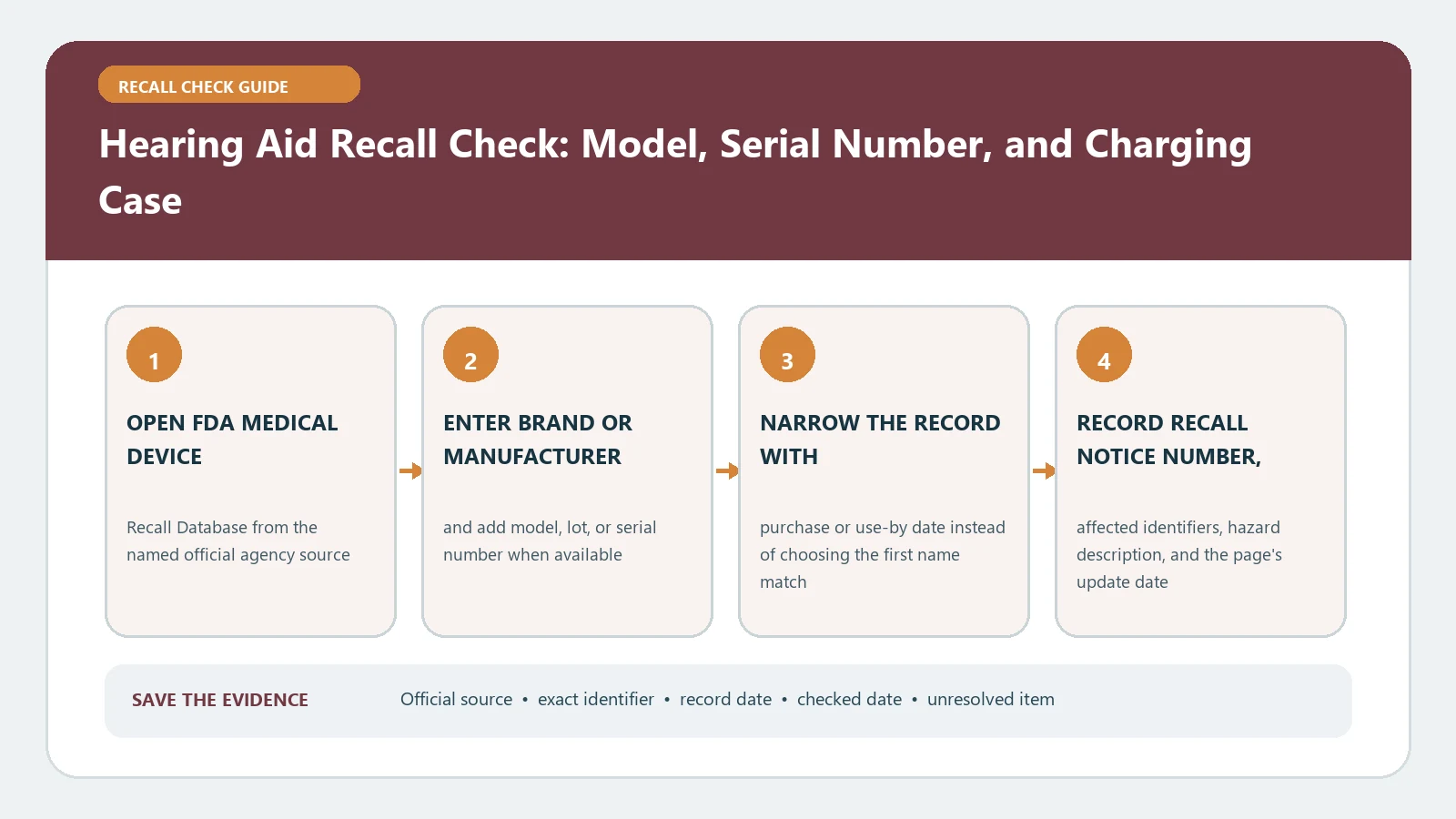
A hearing aid recall check must identify every affected component, not just the earpiece. Record the hearing aid model and serial number, charging case or dock model, charger, accessory, software or firmware version, and UDI when present. Search the FDA device recall record, compare the precise configuration, and follow the correction or replacement instructions for that component. A shared brand name does not establish a recall match.
Last checked August 26, 2026. FDA recall status can change after classification or termination, and a company may revise its customer instructions. Use the current FDA entry and the current manufacturer communication when arranging the remedy.
Inventory the hearing system, not just the device worn in the ear
Place the hearing aids, case, dock, charger, cable, remote microphone, packaging, and purchase or clinic record together. Photograph labels without deleting a paired-app profile or resetting the devices. Left and right units can have separate serial numbers. A charging case can also carry its own model, serial, or UDI and may be the only component named by an action.
| Component | Identity to record | Why it matters |
|---|---|---|
| Left and right hearing aids | Model, serial, side, UDI if shown | Units may not share an affected range |
| Charging case or dock | Case model, serial, power rating | The case can be recalled separately |
| Power supply | Part number and output | A correction may apply only to the adapter |
| App or firmware | App version, firmware, phone platform | Some actions are software corrections |
| Clinic or purchase record | Provider, fitting date, order number | Helps recover missing identifiers |
Use FDA recall records first, then resolve identity in AccessGUDID
Search the FDA Medical Device Recalls database by product name or manufacturer. Open possible matches and examine product description, code information, reason, action, recall number, and status. A consumer-facing alert may be easier to read, but the database entry often holds the exact model or lot language needed for a defensible decision.
When the label contains a UDI or an unfamiliar version number, use AccessGUDID to identify the device. That record can help connect a device identifier to the brand, company, and version or model. It does not tell you whether the device is recalled, whether an individual serial is affected, or whether a remedy is complete.
One kit can contain several recall scopes
- Match the recalling company with the legal manufacturer on the component label.
- Compare the model and serial range separately for each hearing aid and for the case.
- Read whether a kit or bundle number includes all components or merely identifies the sales package.
- If software is named, preserve the version displayed before installing, resetting, or pairing anything.
- Write one outcome per component: affected, excluded by a named field, or unresolved.
Do not apply a case-only remedy to the hearing aids or assume that a recalled earpiece makes every compatible charger unsafe. The official notice defines the boundary.
Custom earmolds and disposable batteries can also be present in the same care kit without being part of the affected device. Keep them on the inventory sheet, but mark whether the recall notice actually names them. This prevents a clinic or family from discarding unrelated supplies while still making the full hearing setup understandable to the recall contact.
Correction, replacement, and monitoring are not interchangeable
The FDA’s medical device recall explanation distinguishes a correction performed where a device is used from a removal. A hearing-system action might call for an inspection, settings change, software update, accessory replacement, return, or patient notification. Read the verb and the affected component before acting.
Save the manufacturer confirmation screen or service record after a correction. A completed app update is not proof that a charger was replaced, and a replacement shipment is not proof that both serialized hearing aids were included. Close only the steps the notice requires.
Protect hearing continuity while the remedy is arranged
Do not improvise a repair, use an incompatible power supply, or discard a fitted device before the recall contact explains the route. Ask the audiologist, dispenser, clinic, or manufacturer how to maintain communication needs if a device must be taken out of service. The database cannot decide whether a person should continue using a particular medical device; that decision requires the notice and appropriate professional guidance.
If a device overheats, swells, leaks, produces an unusual odor, or causes injury, move from routine lookup to the safety instructions supplied by the manufacturer and appropriate emergency or medical help. Preserve the identifier and report, but do not delay immediate safety action merely to finish the search.
Before handing equipment to a carrier or service center, confirm whether the program supplies packaging, a label, or a local drop-off route. Lithium batteries and fitted medical devices may have shipping conditions that an ordinary return label does not address. Keep tracking tied to the serialized component, and do not place both hearing aids in a shipment when only one unit was authorized.
If the serial, UDI, or version is missing
Check the original box, fitting report, purchase invoice, clinic portal, paired app, battery compartment, case underside, and manufacturer account. Ask the provider to read the serialized dispensing record rather than guessing from appearance. Search FDA by company and product family to locate the notice, then ask the recall contact which alternative evidence it accepts. An empty serial search does not prove exclusion.
If the device changed ownership, preserve the prior owner’s receipt or clinic transfer record without exposing private health information. The new user may not receive a manufacturer email even when the serial is covered. Registering current contact details can improve future notice delivery, but registration itself does not confirm that an existing correction was completed.
Record remedy completion component by component
Keep the FDA recall number, pre-action inventory, provider instructions, shipment or service confirmation, new serial numbers, software versions, and the date each component returned to use. The medical device recall guide explains how FDA device records fit together. For a nearby home-monitoring device with a different continuity problem, see the blood pressure monitor recall check.