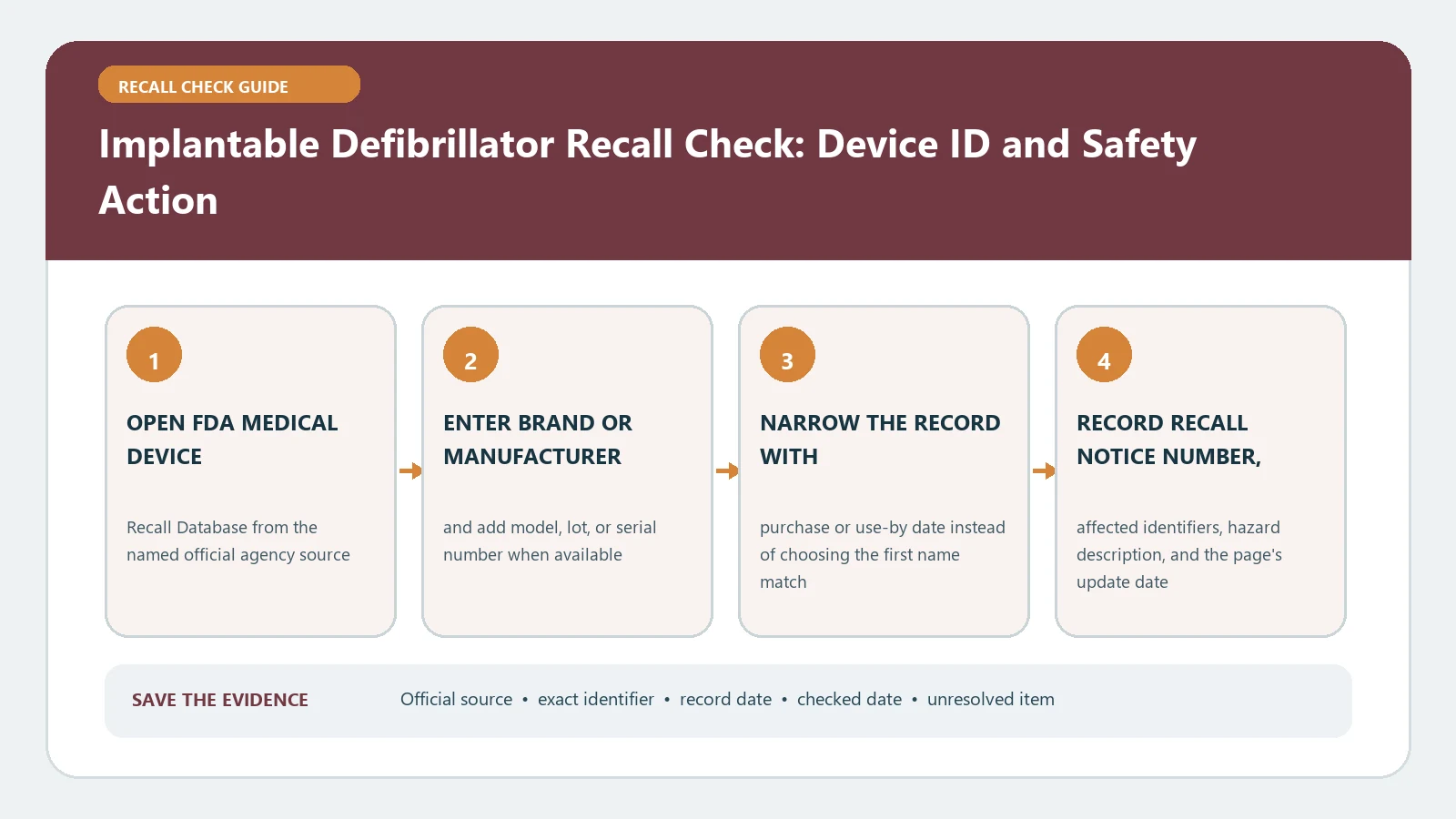
An implantable defibrillator recall check must separate the pulse generator, every implanted lead, and any affected programmer, software, or remote-monitoring component. Obtain the exact model, serial, and UDI information from the implant card and clinic record, compare each part with the FDA communication and database, and contact the electrophysiology team before changing monitoring or treatment.
Reviewed August 26, 2026. FDA device communications may begin as an early alert, later become a confirmed recall, or receive updated patient and professional instructions. A public match identifies a regulatory action; it cannot determine whether a device has malfunctioned in one patient or whether a procedure is appropriate.
Split the implanted system into identifiable parts
Request the implant card, operative report, device-clinic printout, remote-monitoring enrollment record, and any manufacturer letter. Keep source documents intact. A person may have a generator from one product family and leads implanted at a different time. A later generator replacement does not mean the older lead was removed, and a software correction may concern a programmer rather than the implanted hardware.
| System part | Evidence to request | Why a separate row is needed |
|---|---|---|
| ICD or CRT-D generator | Manufacturer, model, serial, UDI or DI, implant date | Generator campaigns use device-specific populations |
| Defibrillation or pacing lead | Lead model, serial, coil or terminal configuration, implant date | Lead actions can exist independently of the generator |
| Programmer or software | Platform, software version, update or correction date | A correction may be performed without removing hardware |
| Remote monitor | Model, account or enrollment status, transmission date | Monitoring instructions may be part of the patient action |
| FDA action | Communication date, status, recall number, affected fields | Connects one component to one current instruction |
Do not infer the lead model from the generator card or fill a missing serial from an appointment date. Ask the device clinic for the component inventory recorded in its programmer or operative system. If an implant card contains several barcode stickers, keep each sticker linked to its named device rather than transcribing all numbers into one line.
Read the current FDA communication before the database row
The FDA Medical Device Recalls and Early Alerts page presents serious patient-facing communications with status labels. Open the item that names the product area and read who may be affected, the component table, reason, reported problem, and what patients and health professionals should do.
Then use the FDA Medical Device Recalls database to search model, product, firm, recall number, and date. The communication is optimized for action; the database supplies classified record details. Keep early-alert, recall-confirmed, classification, and status fields distinct rather than forcing every page into one label.
Match the model and configuration, not the product family
The FDA’s defibrillation-lead recall update demonstrates why configuration matters. Its affected table distinguishes lead models and coil or terminal characteristics, and the action concerns certain leads rather than every device sharing the manufacturer’s name. Use the record as a matching method, not as evidence that an unrelated ICD is included.
- Confirm whether the action concerns a generator, lead, software, accessory, or combination.
- Find the exact model and preserve suffixes, terminal type, or other configuration fields.
- Compare serial, manufacture, distribution, or implant ranges when the record uses them.
- Copy the patient and professional actions from the current communication.
- Save the recall status and date checked with that one component row.
A product-family match is a reason to investigate, not a patient-level conclusion. Mark the component affected only when every controlling identifier agrees. One clear mismatch can exclude it from that action. Missing model, serial, or configuration evidence leaves the row unresolved.
Use UDI as an identity bridge with limits
The FDA UDI explanation distinguishes the device identifier from production identifiers such as lot and serial. Use a DI or UDI to confirm the manufacturer and device version, especially when a clinic record uses an unfamiliar catalog description. Do not expect the public database to contain a patient’s name or reconstruct a lost serial.
If a barcode was scanned into the health record, request the human-readable value and device name together. Compare it with the implant card and clinic inventory. A UDI interpretation can solve a label-format problem, but it does not show that the individual implant enters a serial-limited campaign or that an FDA action has been completed.
Correction and removal are not the same instruction
Medical-device recalls can involve a correction where the device remains in use, updated programming or instructions, monitoring, inventory removal, or another action. The word recall does not automatically mean explantation. Likewise, a manufacturer letter does not authorize a patient to change device settings, disconnect monitoring, skip appointments, or seek surgery without the treating team’s assessment.
Bring the FDA communication and component ledger to the electrophysiology clinic. Ask which exact component is involved, what action has been recorded, whether remote monitoring or an in-clinic check is required, and how completion will be documented. The medical-device recall guide supplies a broader record workflow, while the hip and knee implant guide shows the same component-level discipline for orthopedic systems.
Recover missing or conflicting identifiers
Keep both records and ask the device clinic to reconcile them against the operative report and programmer data. A former product name, generator exchange, lead abandonment, or manufacturer acquisition can explain why a patient letter and current card differ. Request written clarification from the care team or manufacturer rather than changing a source value to fit the search.
For symptoms, shocks, alarms, or an urgent health concern, follow the care team’s emergency instructions or emergency services. Do not wait for a database search to finish. Reporting a suspected adverse event is separate from confirming recall scope and separate again from completing the manufacturer’s correction.
Close regulatory and clinical records separately
Save an affected, excluded, or unresolved result for each generator, lead, software, and monitor row. Add the official URL, identifiers compared, check date, clinic contact, recommended follow-up, and completion evidence. A recall match does not prove that a malfunction occurred or caused harm. A no-match result does not certify future device performance. The recall remedy guide can track administrative completion, but only the clinical team can interpret what the action means for an individual patient.