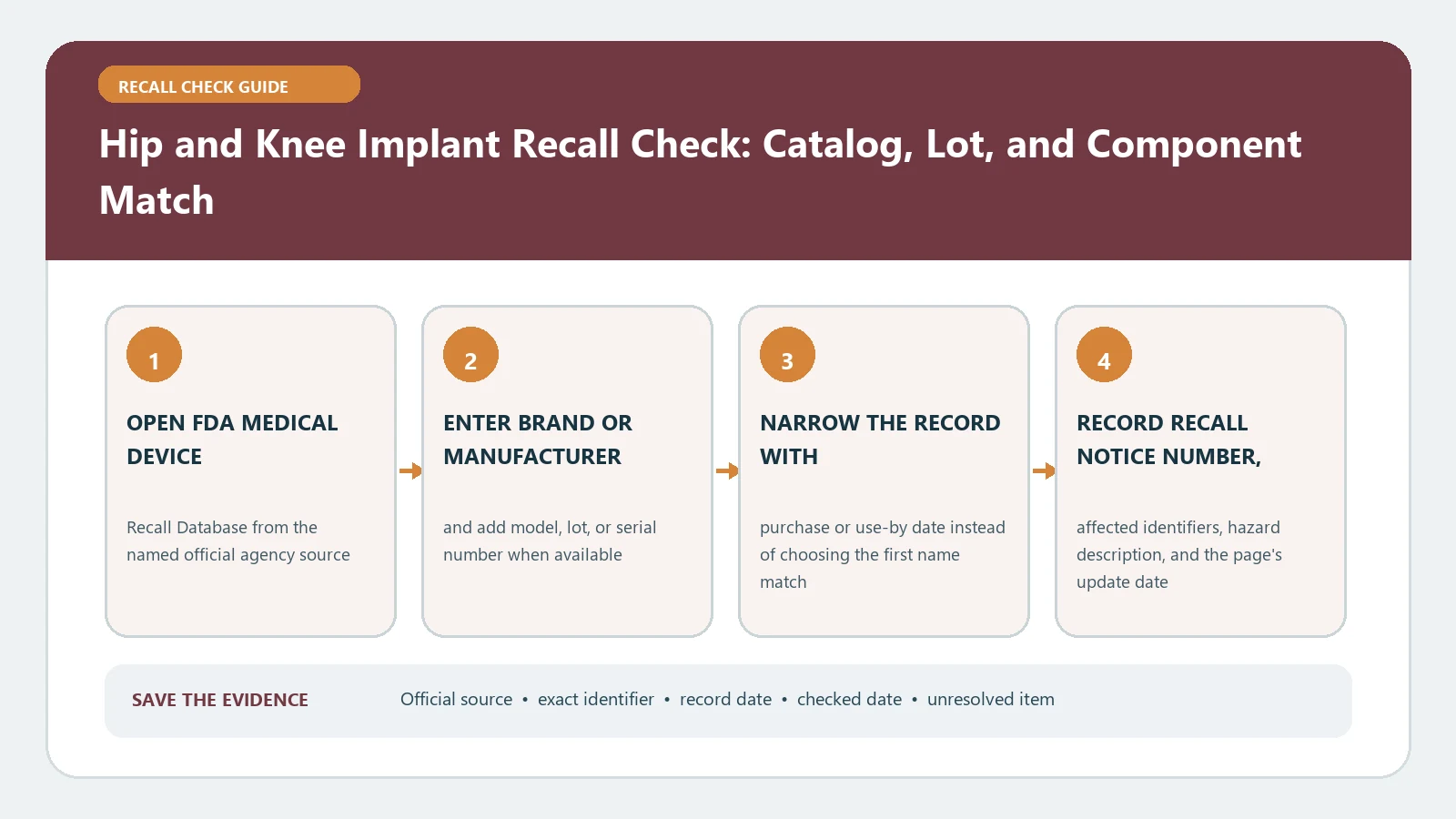
A hip or knee implant recall check must be performed component by component using the catalog, lot, and device identifiers from the implant record. A joint replacement is a system, not one item: a stem, cup, liner, head, femoral component, tibial tray, insert, screws, or bone-cement product can each have a separate manufacturer and recall status. Do not make treatment decisions from a brand-level search.
Reviewed August 26, 2026. FDA device communications, classifications, and database entries can be updated. Save the exact record and check date, then take any possible match to the orthopedic care team. A public lookup can identify recall scope; it cannot determine whether an implant is failing or whether revision is appropriate for a particular patient.
Request the implant record, not just the brand name
Start with the implant card, operative report, implant log, sticker sheet, hospital supply record, and later revision notes. Ask for legible copies showing the manufacturer, brand, catalog or reference number, lot or batch, serial when used, UDI or device identifier, size, material, side, and implantation date. Keep the source document attached to each value so a typed transcription can be checked.
| Possible component | Identity fields to preserve | Common mix-up to avoid |
|---|---|---|
| Hip stem, cup, liner, head | Catalog, lot, UDI, size, material, side | Treating the system or procedure name as one model |
| Femoral component, tibial tray, insert | Reference, lot, thickness, size, laterality | Assuming all pieces came from one product family |
| Screw, augment, cone, cement | Manufacturer, catalog, lot, expiration when recorded | Dropping ancillary products from the search |
| Hospital source | Operative date, facility record, label or sticker image | Replacing a missing lot with the surgery date |
| FDA record | Recall number, event, product description, code information, status | Applying one component record to the entire construct |
Do not infer a lot from a catalog number or copy the implant card’s first line across all components. A catalog identifies a version or model; a lot identifies a production group. If the record says only total hip or total knee, the identity packet is incomplete. Request the facility’s implant log or sticker page rather than guessing from an X-ray or billing code.
Use UDI data to translate the device, not invent a lot
The FDA UDI Basics page separates the device identifier, which identifies a device version or model, from production identifiers such as lot, serial, expiration, and manufacture date. FDA also explains that GUDID contains the device-identifier portion and flags about production identifiers, not the patient-specific production values themselves.
Use the public AccessGUDID route to connect a DI, company, brand, or model to submitted device-identification details. It can clarify an unfamiliar label or manufacturer relationship. It cannot reveal who received the implant, supply a lost patient lot, prove recall inclusion, or replace the operative record.
Search the FDA database one component at a time
Open the FDA Medical Device Recalls search. Begin with the most distinctive catalog or model number. Repeat with product description, brand, recalling firm, recall number, and relevant date fields. Search each component row independently, including ancillary items documented during the procedure.
- Confirm the FDA product description names the same type of implant component.
- Compare the complete model or catalog number, including suffixes and size variants.
- Apply every lot, serial, or code-information condition in the record.
- Record the recalling firm, recall number, class, reason, and status separately.
- Open related event rows when several components are listed under one action.
Search results may abbreviate a long catalog series or show a product family in the first line. Open the detail rather than matching the snippet. A recalled liner does not automatically include the cup, and a knee insert action does not automatically include the femoral component. Conversely, one recall event can contain several product records that need separate comparisons.
Catalog and lot conditions must agree
Use a three-state result for each component. Mark affected only when the product description and every controlling identifier agree. Mark excluded when a decisive catalog, lot, size, side, material, or production condition clearly differs. Mark unresolved when the component is named but the relevant lot or catalog field is missing, truncated, or inconsistent.
Do not use surgery date as manufacture date. Do not collapse left and right versions or substitute a distributor number for a manufacturer reference without written confirmation. The medical-device recall guide provides a broader database workflow, and the implantable-defibrillator guide shows why implanted systems also require separate component rows.
Recover a missing or conflicting implant record
Preserve both versions. Ask medical records for the operative implant log and ask the implanting facility’s device-tracking or supply office to verify the label source. The surgeon’s office or manufacturer may help reconcile a former company name, distributor code, or catalog transition. Request a written mapping; do not edit the patient record to fit a search result.
A database no-result can reflect spelling, an incomplete catalog, an older record, or a component hidden under another firm. Search the FDA’s serious device recalls and early alerts for a current patient-facing communication, then return to the classified database. Keep a communication status and a confirmed recall classification as different facts.
Clinical decisions remain with the orthopedic team
A recall can involve removal from inventory, correction of instructions, patient monitoring, or another action; it does not always call for revision surgery. Do not stop normal care, postpone urgent evaluation, or seek implant removal solely because a product family appears in search. Bring the component ledger, FDA records, symptoms or concerns, and prior imaging or follow-up information to the treating team.
For an urgent medical problem, use emergency services. Reporting a suspected adverse event and obtaining recall remedy information are also separate processes. The FDA recall list guide explains the difference between public announcements and Enforcement Reports without making an individual health judgment.
Close a ledger for every implanted component
For each row, save the document source, identifiers, query used, FDA URL, result, check date, clinic contact, and next step. The final record may legitimately contain affected, excluded, and unresolved components at once. A database match does not prove that symptoms came from the implant, and an empty search does not certify the construct. Close identification, regulatory status, clinical follow-up, and any remedy as four separate outcomes.