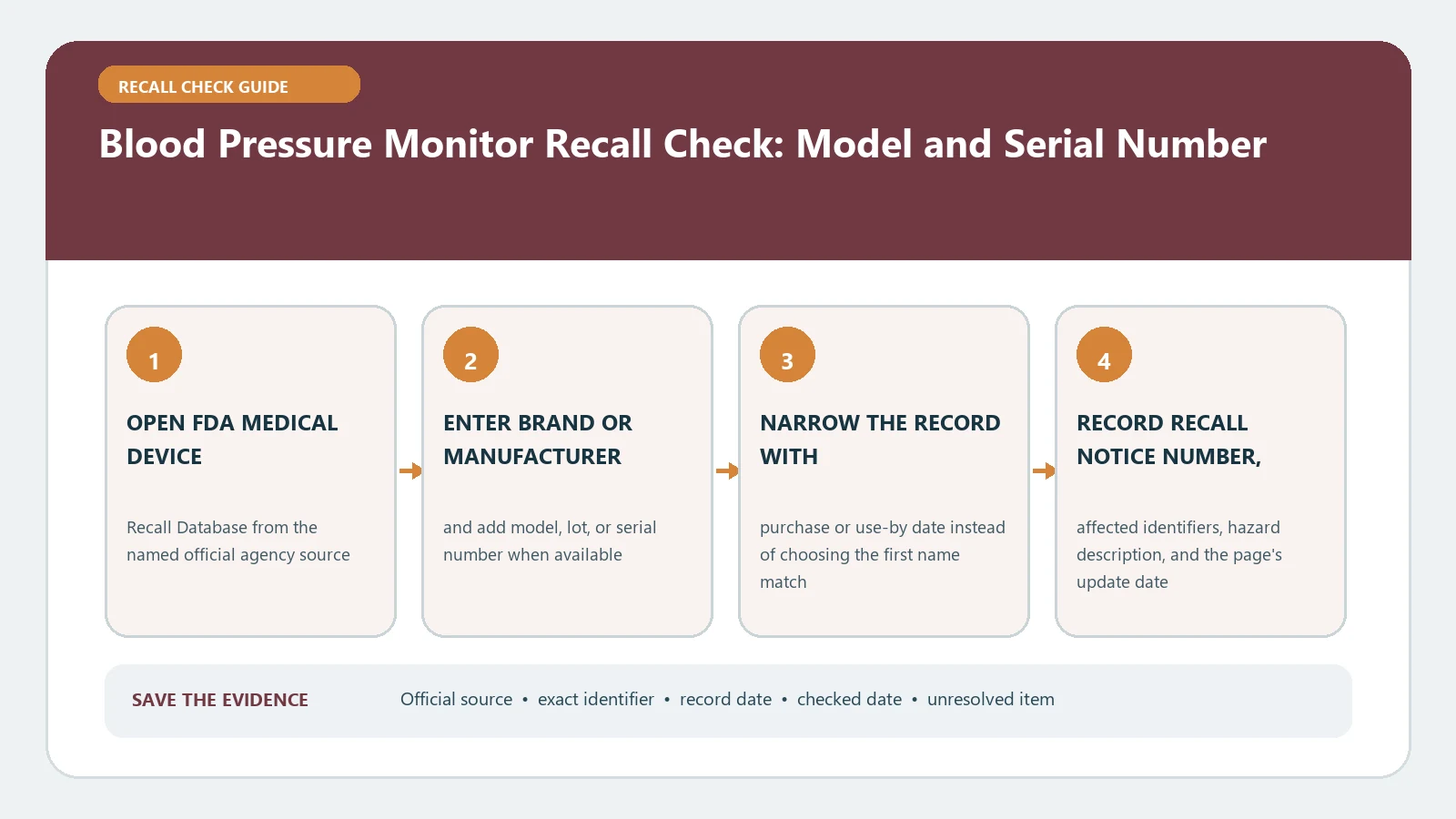
For a blood pressure monitor recall, match the monitor’s model and serial number, software version when shown, cuff or accessory named in the notice, and the FDA code information. A strange reading alone does not prove the device is recalled, and a recall result does not explain a person’s blood pressure. Preserve the label and recent readings, follow the official correction, and ask a health professional how to maintain monitoring if use must change.
Last checked August 26, 2026. FDA entries may be updated when a device action is classified or terminated. Recheck the current record and company communication before installing software, returning equipment, or replacing a component.
Start with the rating label and the cuff connection
Photograph the monitor front, rating label, serial label, cuff, hose connector, power adapter, original box, and any app information screen. Upper-arm monitors, wrist monitors, ambulatory systems, and clinic devices can share a brand while using different models and corrections. Do not reset the monitor or delete an app until the installed version and stored-reading status have been captured.
A device identity sheet prevents model-family mistakes
| Identity field | Evidence source | Decision it supports |
|---|---|---|
| Monitor model | Rating label and box | Exact product family and variant |
| Serial or lot | Rear or underside label | Affected production range |
| Firmware or app version | Device or app settings | Software correction eligibility |
| Cuff and adapter part numbers | Accessory labels | Component-specific scope |
| UDI device identifier | UDI label | Submitted device identity |
Add the purchase source, date, clinic ownership if applicable, and the name of the person who relies on the monitor. Keep health readings separate from the recall identity sheet; both matter, but they answer different questions.
For a shared household monitor, identify which cuff and user profile were paired with each reading. For an ambulatory device, include the recorder, cuff, cable, docking station, and analysis software. A recall that names one component should not be expanded to the entire monitoring system, but the surrounding configuration may be needed to carry out the correction safely.
Search FDA by product and firm before trying a serial number
- Open the FDA Medical Device Recalls search and try the manufacturer plus blood pressure monitor or the exact model.
- Open each plausible result and compare the firm, product description, code information, reason, action, and status.
- Use AccessGUDID when a UDI or unfamiliar model needs identity confirmation.
- Match all stated conditions, including model suffixes, serial ranges, software releases, and accessory combinations.
- Save the recall number and customer action before changing the device.
The FDA database is not a universal serial-number checker. Code information may list many serials, a model range, or another identifier. A failed serial search can therefore mean the search method was too narrow.
Decide whether the action concerns hardware, software, or measurement
Read the reason and action as a pair. A correction may address display behavior, data transmission, cuff compatibility, a power component, labeling, or measurement performance. Do not assume every recall requires the same stop-use response. The FDA explains in What is a Medical Device Recall? that an action can involve checking, adjusting, fixing, relabeling, monitoring, or removing a device.
If an update is required, record the old version, approved update source, completion message, and new version. If a cuff or adapter is the affected part, do not close the case merely because the monitor body is outside the serial range. A kit can have more than one identity.
Compare the company letter with the FDA action field for audience and timing. A notice sent to clinics may instruct staff to inspect inventory, contact patients, or apply a correction during service. A consumer should not copy a facility procedure without confirmation that it applies to the home model and serial number.
Do not use the recall page to diagnose a reading
An unexpectedly high, low, or inconsistent reading needs appropriate health guidance and a basic check that the device was used as instructed. A recall database cannot determine whether a reading reflects the person’s condition, cuff placement, movement, device error, or another cause. Do not delay urgent care because a model does not appear in a search.
If the official notice says to stop using the monitor, ask the treating professional or service provider how monitoring should continue. Do not change medication or a care plan from a recall page. Keep a copy of recent readings only as needed for care continuity and avoid placing private health data in a public incident report.
When the model label is missing or the result is empty
Check the battery compartment, stand, mobile app, Bluetooth settings, clinic inventory, purchase history, instruction manual, and packaging. Search by the legal manufacturer rather than only the retail brand. If the label is unreadable, send photographs through the contact route in the official notice and ask which alternate identifier can be used. Do not select the closest-looking model or treat no result as a safety certificate.
When the monitor came from a health plan, pharmacy, or remote-patient program, ask the program administrator for its asset record. The device may have a supplier sticker that hides but does not replace the manufacturer’s plate. Record both identifiers so the administrator can trace its inventory while the FDA comparison remains tied to the manufacturer model.
If two monitors are used to compare readings, label which device produced each result and avoid presenting the comparison as a calibration test. Consumer cross-checks cannot certify accuracy. The recall contact, service program, and treating professional each answer a different part of the problem: affected identity, technical correction, and continuity of care.
Finish with a monitoring-continuity record
Document the matched fields, FDA recall number, professional guidance, correction or return, replacement identity, and the date reliable monitoring resumed. For database field help, use the FDA medical device recall check. If the affected equipment is a hearing system rather than a monitor, the hearing aid recall guide separates earpiece, case, charger, and software identities.
Keep the old device record even after replacement so later questions can be tied to its serial and dates of use. Mark the old unit as returned, destroyed, retained pending instruction, or otherwise disposed of under the program. A new monitor on the counter does not by itself show what happened to the recalled one.